Skip to Main Content
Doing More Today
  • News
  • Community
    • Associates in Action
    • Community Engagement
    • Small Business
    • Economic Development
  • Insights & Innovation
    • Economic Commentary
    • Insights
    • Innovation
  • Financial Wellness
    • Financial Wellness
    • Fraud Prevention
  • See the Good
    • Culture
    • Good Company
    • Good Towns
    • Good Pets
    • Ecards
    • Recipes
    • Riding Forward
    • The Extra Mile
Subscribe Now
Regions Bank

Regions Bank: Doing More Today: Good stories. Better insights. More possibilities.

Share
Share on Facebook
Share on X
Share on LinkedIn
Share via Email
Subscribe
woman with back to the camera on a laptop. laptop...
Category: Fraud Prevention

#BanksNeverAskThat: 4 Signs That Email is a Scam

Think that email doesn’t look quite right? Trust your gut.

By Doug Segrest | October 12, 2022

The email seems urgent. Better respond now.

Wait, not so fast.

Words are misspelled. And that email doesn’t read like it’s there to help you. In fact, it seems threatening.

Trust your gut. If something seems amiss, it probably is.

Throughout the month of October, Regions Bank and banks across the nation are supporting the American Bankers Association’s #BanksNeverAskThat campaign to help keep customers safe.

In this quick, informative video, we provide four telltale signs of a fraudulent email.

gif listing 4 signs of email scam

Remember that banks won’t:

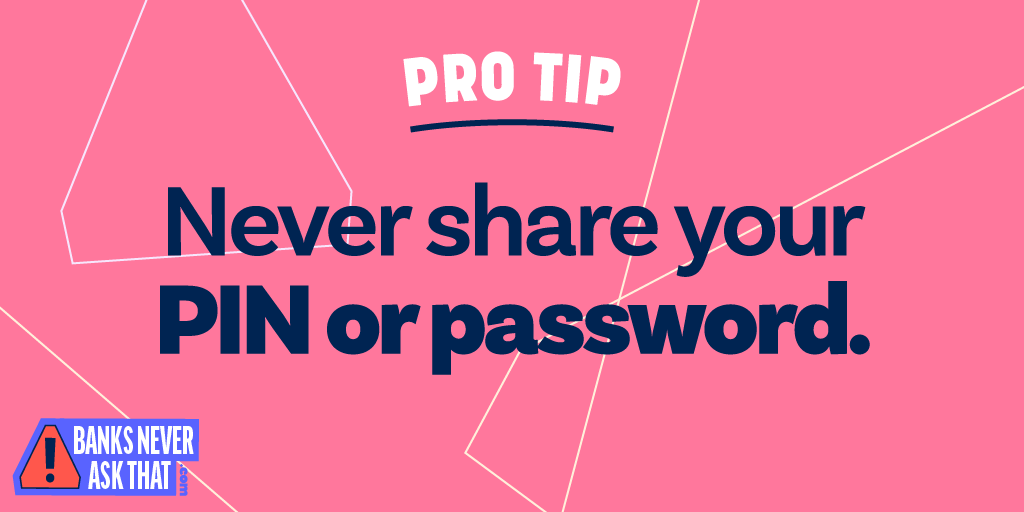
  • Ask for your PIN, password or Social Security number via email.
  • Use bad grammar, misspelled words or feature a blurry logo.
  • Threaten you with account closure or use pushy tactics.
  • Ask you to click an off-looking link.


You can learn more about spotting phishing campaigns and test your scam IQ by going to BanksNeverAskThat.com and select “Play Scam City.” The game is fun, and, in a matter of minutes you’ll be even better prepared to keep your money and personal information safe.

Because our shared goal is to help keep you safe. And the best way is through education.

“Phishing emails are getting better crafted with each new attempt at fraud,” said Jeff Taylor, head of Commercial Fraud Forensics at Regions Bank. “But following a simple, three-step process can help keep you safe. We call it stop, call, confirm. Stop what you are doing and review the email closely. Pick up the phone and call the source of the email at a number you know. Then, confirm the email is legitimate.”

Keep turning to Doing More Today throughout October for more tips and quick videos.

And, as always, you can find more information from us at regions.com.
 

Related Articles from Doing More Today:

#BanksNeverAskThat Over the Phone

#BanksNeverAskThat

Enhanced Security Through Multi-Factor Authentication

Imposter Scams: 6 Steps to Stop Criminals Cold

Student-Loan Fraud: 7 Steps to Stay Safe

#BanksNeverAskThat: A Primer to Stay Safe

pro tip: never share your pin or password
The information presented is general in nature and should not be considered, legal, accounting or tax advice. Regions reminds its customers that they should be vigilant about fraud and security and that they are responsible for taking action to protect their computer systems. Fraud prevention requires a continuous review of your policies and practices, as the threat evolves daily. There is no guarantee that all fraudulent transactions will be prevented or that related financial losses will not occur. Visit regions.com/STOPFRAUD or speak with your Banker for further information on how you can help prevent fraud.
Share
Share on Facebook
Share on X
Share on LinkedIn
Share via Email
Subscribe

Trending Articles

  • 1.

    Homeownership and Affordability: Reframing the Conversation for What Comes Next

  • 2.

    Regions Bank Announces New Leaders in Key Markets to Drive Business Growth and Customer Experience

  • 3.

    Regions Builds a Stronger Future for the Carolinas

  • 4.

    Regions Bank Headquarters Debuts July 4th Building Lighting to Celebrate Independence Day

  • 5.

    Top Social Media Scams to Watch in 2026

Related Articles

Internet router with warning exclamation sign.
Category: Fraud Prevention

Protect Your Devices – Starting With Your Router

Regions Center in Birmingham with "USA" and an American flag...
Category: News

Regions Bank Headquarters Debuts July 4th Building Lighting to Celebrate Independence Day

Culture of Fraud Awareness graphic.
Category: Fraud Prevention

Creating a Culture of Fraud Awareness: Your First Line of Defense

Jeff Taylor and Scott Augenbaum at Regions fraud event.
Category: Fraud Prevention

Fighting Fraud in the Rocket City

Homeownership Month illustration of homes on a street with sun...
Category: Community Engagement

Coming Home, Building New Foundations

Laptop shaped like a house with warning exclamation point with...
Category: Fraud Prevention

Storms and Scams: How Homeowners Can Protect Their Property and Pocketbooks

Associate from Regions Bank standing in front of the mobile...
Category: Community Engagement

A Focus on Student Financial Confidence. Regions Bank is on a Mission

Photo collage of Jane Hale's headshot and mother and her...
Category: Culture

From Renting to Rooted: How a Regions Mortgage Benefit for Associates Helped a Banker Buy Her First Home

Regions.com | About Regions | Investor Relations | Privacy & Security | Website Terms of Use | Online Privacy | Contact Regions | Careers at Regions
Non-deposit products including investments, securities, mutual funds, insurance products, crypto assets and annuities:
Are not FDIC-insured
Are not bank guaranteed
May lose value
Are not deposits
Are not a condition of any banking activity
Are not insured by any government entity
© 2026 Regions Bank. NMLS 174490. 1900 5th Avenue North, Birmingham, AL 35203. All Rights Reserved.
Regions, the Regions logo, and the LifeGreen bike are registered trademarks of Regions Bank. The LifeGreen color is a trademark of Regions Bank.
Equal Housing Lender Member FDIC